
Best Practices for Managing Your Instagram Media Library
As you continue to use Instagram, whether as a creator or an avid content saver, your media library can quickly grow to thousands of files. Without proper organization, finding specific content becomes increasingly difficult. Here are the best practices for managing your Instagram media library effectively.
Creating a Folder Structure
The foundation of any good media library is a logical folder structure. Consider organizing your downloaded Instagram content using this hierarchy:
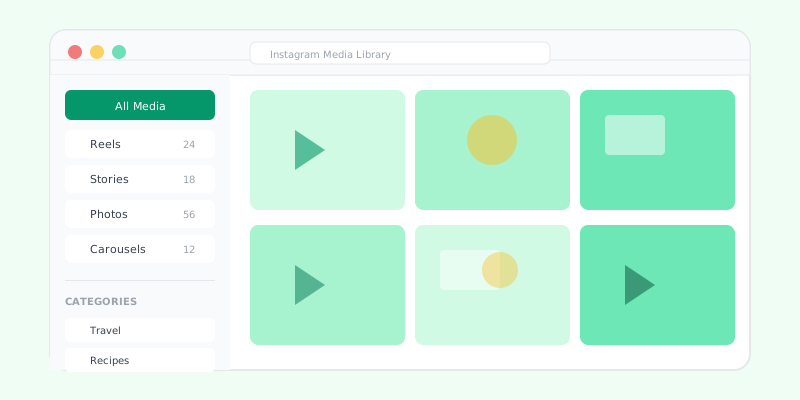
By Content Type: - Reels - Stories - Posts (Photos) - Carousels - Profile Pictures
By Category: - Recipes - Travel - Fitness - Education - Entertainment - Inspiration
By Date: - Year and month-based folders work well for chronological organization
Choose the structure that makes the most sense for how you typically search for content. Many people find a combination approach works best, with top-level category folders and date-based subfolders within each.
Naming Conventions
Consistent file naming makes searching much easier. Consider including these elements in your file names:
- Date: When the content was originally posted or downloaded
- Creator: The Instagram username of the content creator
- Description: A brief description of the content
- Type: Whether it is a photo, video, or reel
For example: "2025-03-travel-wanderlust_jane-sunset-bali-reel.mp4"
Regular Backups
Your curated Instagram media library represents time and effort. Protect it with regular backups:
- Cloud storage: Services like Google Drive, iCloud, or Dropbox provide automatic backup
- External drives: Physical backup on external hard drives or SSDs
- Multiple locations: Follow the 3-2-1 backup rule where you have three copies on two different media types with one stored offsite
Managing Storage Space
Instagram videos and high-quality photos can consume significant storage space. Here are strategies to manage it:
- Review periodically: Go through your library every few months and remove content you no longer need
- Compress when appropriate: For content you want to keep but do not need in full quality, consider compressing video files
- Use cloud storage: Offload older content to cloud storage to free up device space
- Delete duplicates: Use duplicate file finder tools to identify and remove unnecessary copies
Tagging and Metadata
If you are managing a large library, consider using tools that support tagging:
- Add keywords to files for easier searching
- Use star ratings to mark your favorite content
- Add color labels for quick visual categorization
- Write notes about why you saved specific content
Legal Considerations
When building your media library, keep these legal points in mind:
- Downloaded content is for personal use unless you have permission from the creator
- Do not use downloaded content for commercial purposes without authorization
- Always credit original creators if you share their content
- Respect copyright and intellectual property rights
Tools for Library Management
Several tools can help you manage a growing media library:
- Google Photos: Excellent for automatic organization and search
- Apple Photos: Built-in for Mac and iOS users with smart albums
- Adobe Lightroom: Professional-grade organization for photographers
- File managers: Simple folder-based organization on any device
Decluttering Your Library
Just like a physical space, your digital library benefits from regular decluttering:
- Set a recurring reminder to review your library monthly
- Ask yourself if each piece of content still serves a purpose
- Remove outdated or irrelevant content
- Consolidate similar items into collections
- Update your folder structure as your needs evolve
Conclusion
A well-organized Instagram media library saves you time and frustration when you need to find specific content. By implementing these practices early, you will build a library that grows in value rather than becoming an unmanageable mess. Start with a simple system and refine it as your collection grows.